Skip to content

Free on the App Store and Google Play

Until: a calm countdown for the days that matter.

See exactly how many days are left until your trip, wedding, exam or birthday, right on your Home Screen. Get ready with milestones, a short checklist and reminders. No account, and your countdowns stay on your phone.

  • 1,000+downloads

Free with ads. Until Pro $1.99/month or $14.99/year removes the ads and unlocks every theme and widget style; the yearly plan starts with a 1-week free trial for new subscribers.

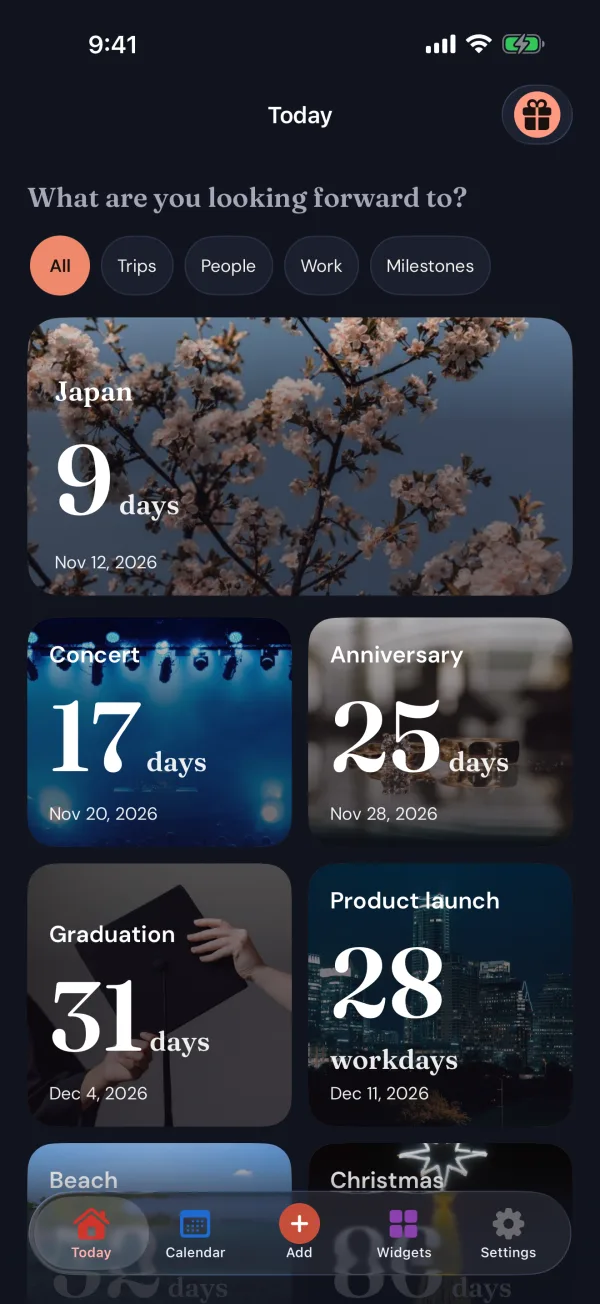
Until Today screen: countdowns to Japan in 9 days, a concert in 17 days, an anniversary in 25 days, a graduation in 31 days and a product launch in 28 workdays
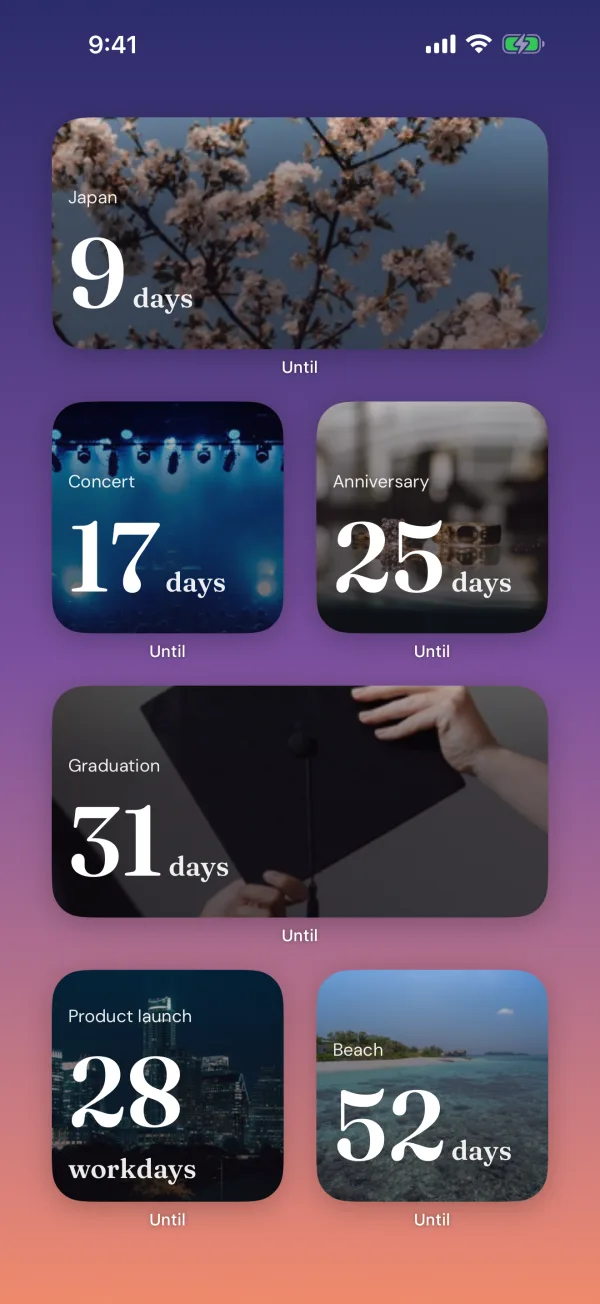
An iPhone Home Screen with Until widgets counting down to Japan, a concert, an anniversary, a graduation, a product launch and the beach
  • Free to start

    Unlimited countdowns, no sign-up

  • No account

    Your countdowns stay on your phone

  • Always right

    Counted by calendar day, in each event’s time zone

  • Works offline

    Widgets keep counting without a network

  • 52 languages

    Follows your phone’s language

At a glance

What is Until?

Until is a countdown app and widget for the moments you are looking forward to. Most countdown apps stop at a number; Until pairs a countdown you can trust with Home Screen widgets and a quiet way to get ready, and it is designed to feel calm and personal rather than like another calendar.

Platform
iPhone (iOS 18 or later) and Android (8.0 or later)
Price
Free with ads. Until Pro $1.99/month or $14.99/year, the yearly plan with a 1-week free trial for new subscribers
Widgets
Home Screen on iPhone and Android, Lock Screen on iPhone
Languages
52, including Arabic, Hebrew, Persian and Urdu
Account
None. Countdowns are stored on your device
Developer
Next App Factory LLC

How it works

Your first countdown in under a minute

No account, no forms. Open the app and add the day you are waiting for.

  1. 1

    Add the day

    Give it a name, a date and, if it matters, a time and a time zone. Birthdays and anniversaries can repeat every year.

  2. 2

    Make it yours

    Pick one of 200 photo covers, use your own photo or a colour, and choose how to count: days, workdays, exact time or progress.

  3. 3

    Keep it in view, and get ready

    Put it on your Home Screen with a widget, add milestones and a short checklist, and set reminders for when you want them.

Features

More than a number

A countdown you can trust

The right number, the moment you look

Every countdown is calculated in its own time zone, by calendar day, so a trip to Tokyo counts down in Tokyo time and the number never jumps at the wrong midnight. Choose the way of counting that fits each event.

  • Days, workdays, exact time, or a percentage of the way there
  • Pick your working days, for deadlines and the last day before leave
  • Keep counting up after the day has passed
  • A time zone per countdown, for trips and events abroad
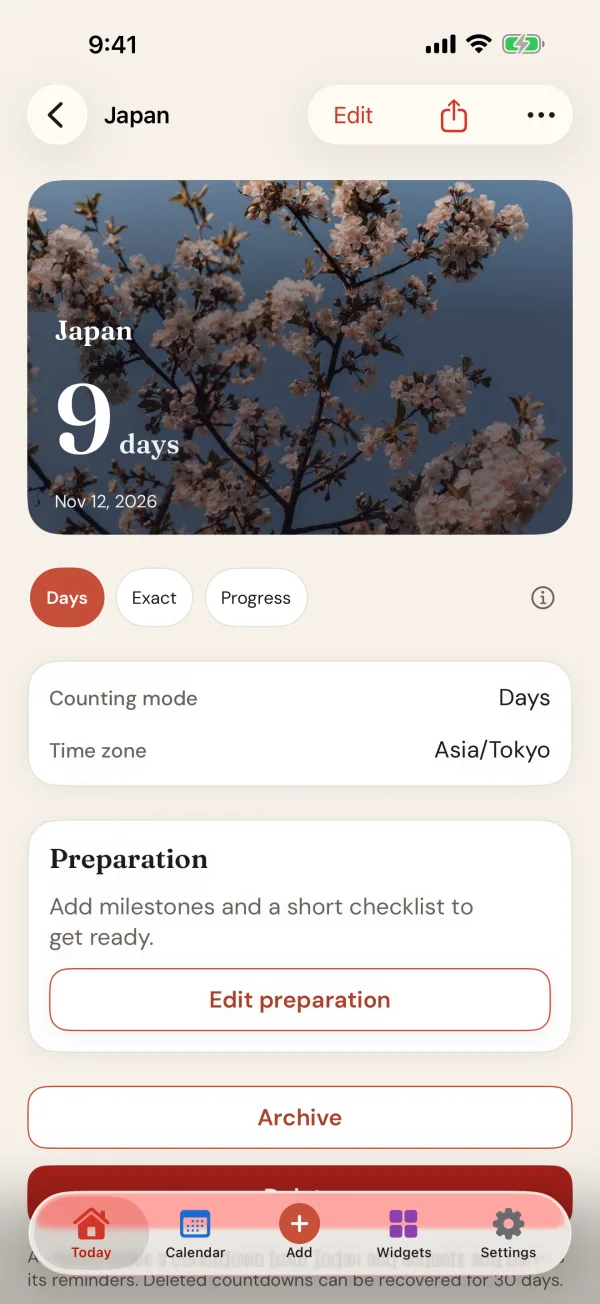
Until countdown page for a trip to Japan: 9 days to go, with Days, Exact and Progress modes and a Preparation card

Make it yours

200 photo covers, all free

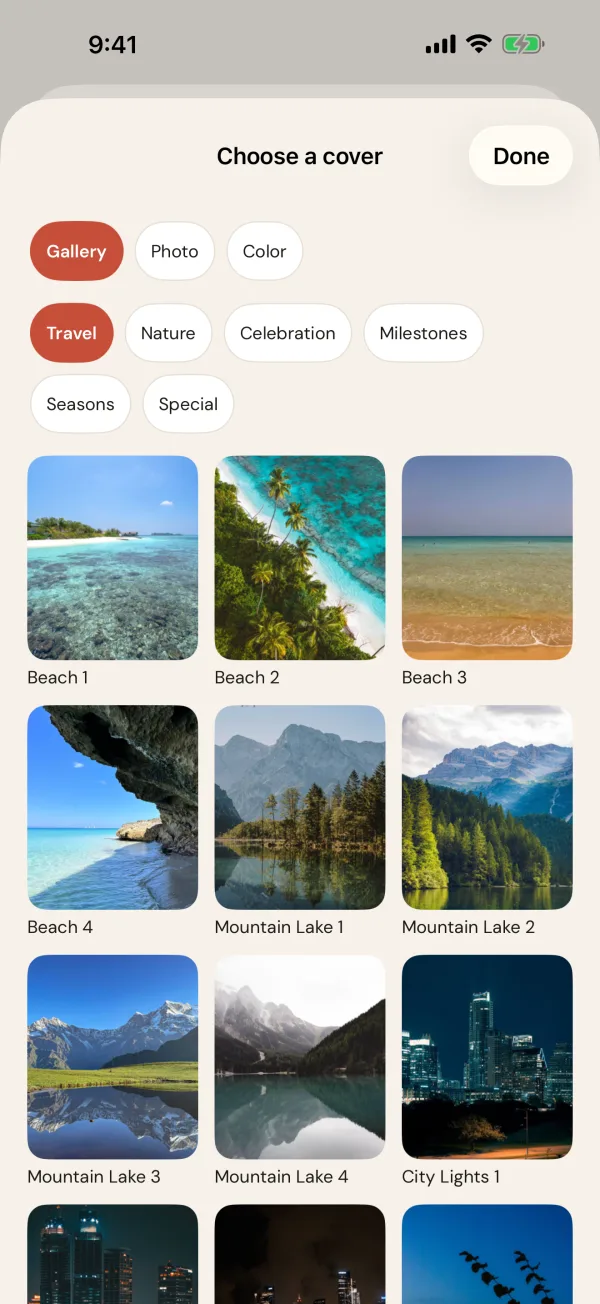
Beaches, mountains, cities, celebrations, seasons and milestones: give every countdown a cover that makes you smile when you see it. Or use a photo of your own, or a simple colour.

  • Every cover is free, now and later
  • Your own photos stay on your phone
  • Covers carry through to the widgets on your Home Screen
Until cover picker with travel photos of beaches, mountain lakes and city lights

Get ready, not just excited

Milestones, a checklist and reminders

A countdown is more useful when it helps you arrive ready. Add milestones for the weeks before, a short checklist for the things you must not forget, and reminders that arrive when you choose. Passport check. Hotels booked. Who is coming.

  • Preparation milestones on the way to the day
  • A short checklist for each countdown
  • Reminders for the day itself and for the milestones before it
  • Until asks for notification permission only when you add your first reminder
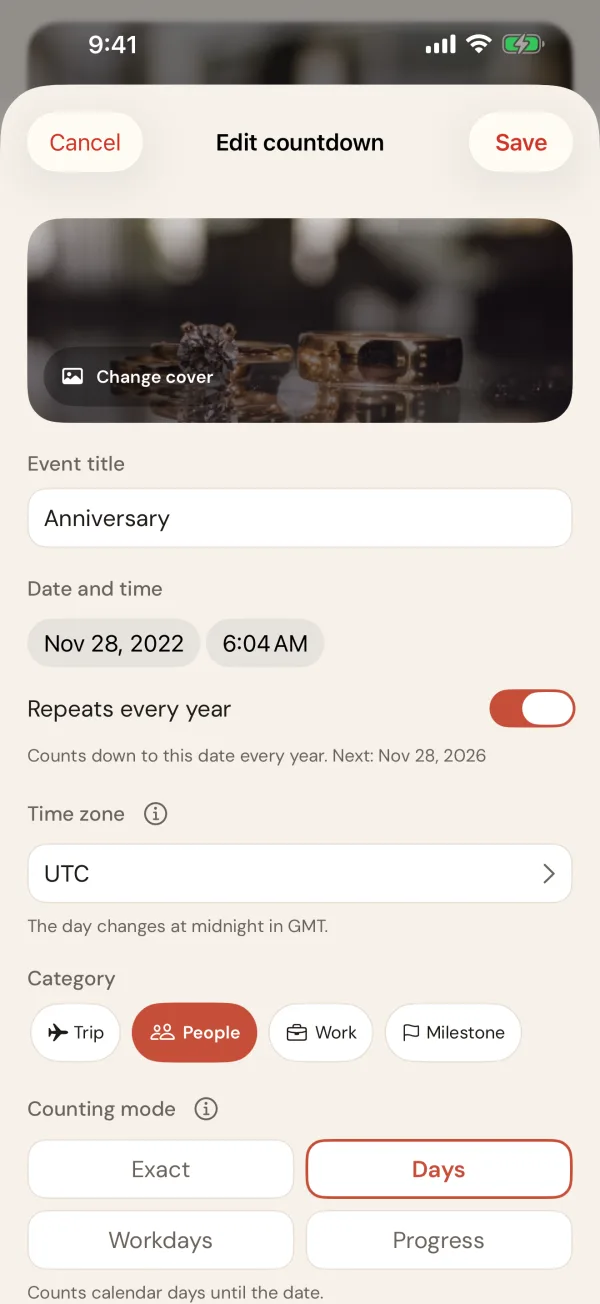
Until countdown editor for an anniversary, with a cover, date and time, Repeats every year switched on, time zone, category and counting mode

The month at a glance

See what is coming, month by month

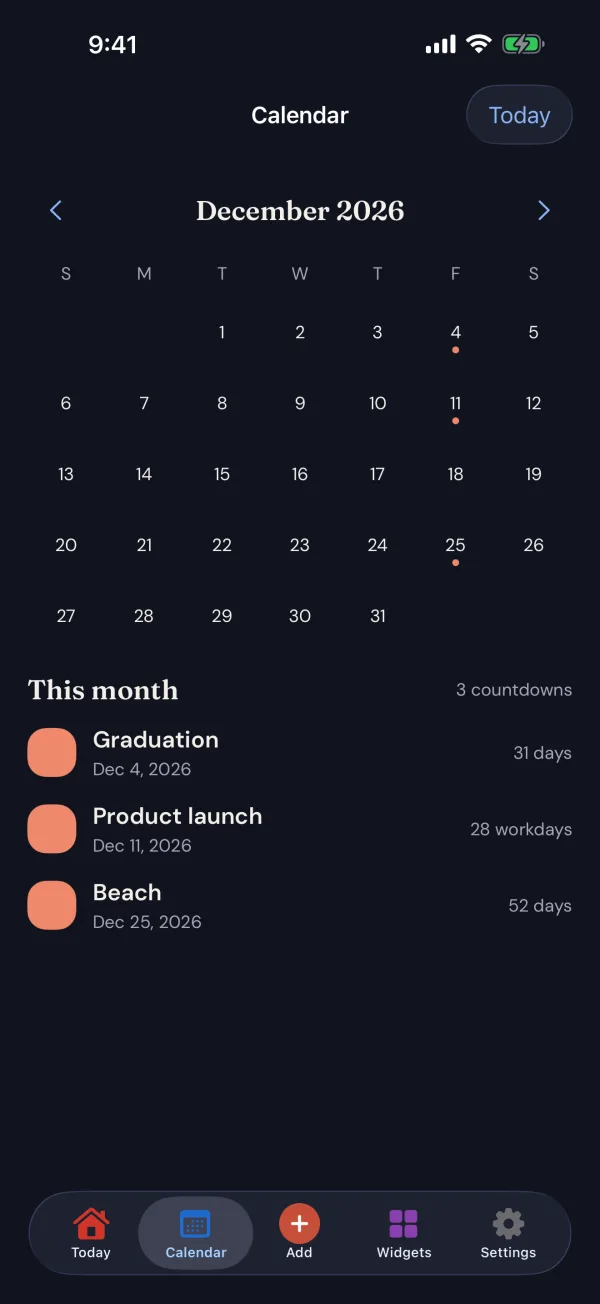
The Calendar tab lays every countdown out on the month, with this month’s days listed underneath. Already have the dates in your calendar? Import them as countdowns in a few taps.

  • Import from Calendar turns calendar events into countdowns
  • Until reads your calendar only when you ask, and never changes it
  • Filter Today by Trips, People, Work and Milestones
Until Calendar tab showing December 2026 with marked days and this month’s countdowns: Graduation, Product launch and Beach

Easy on the eyes

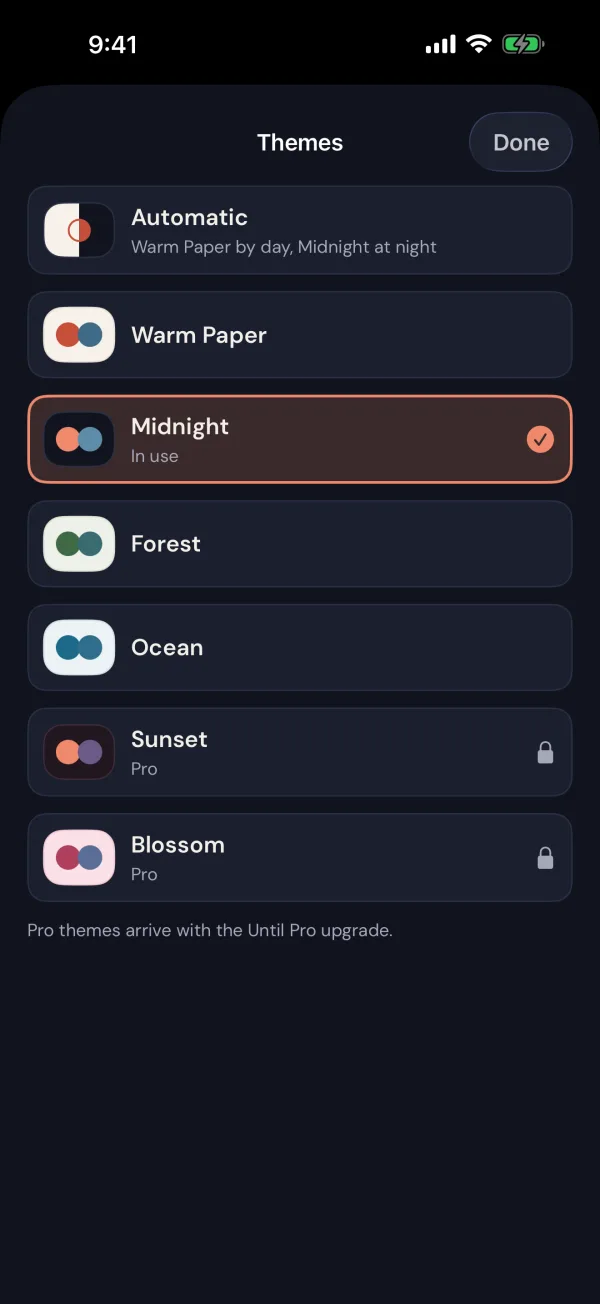
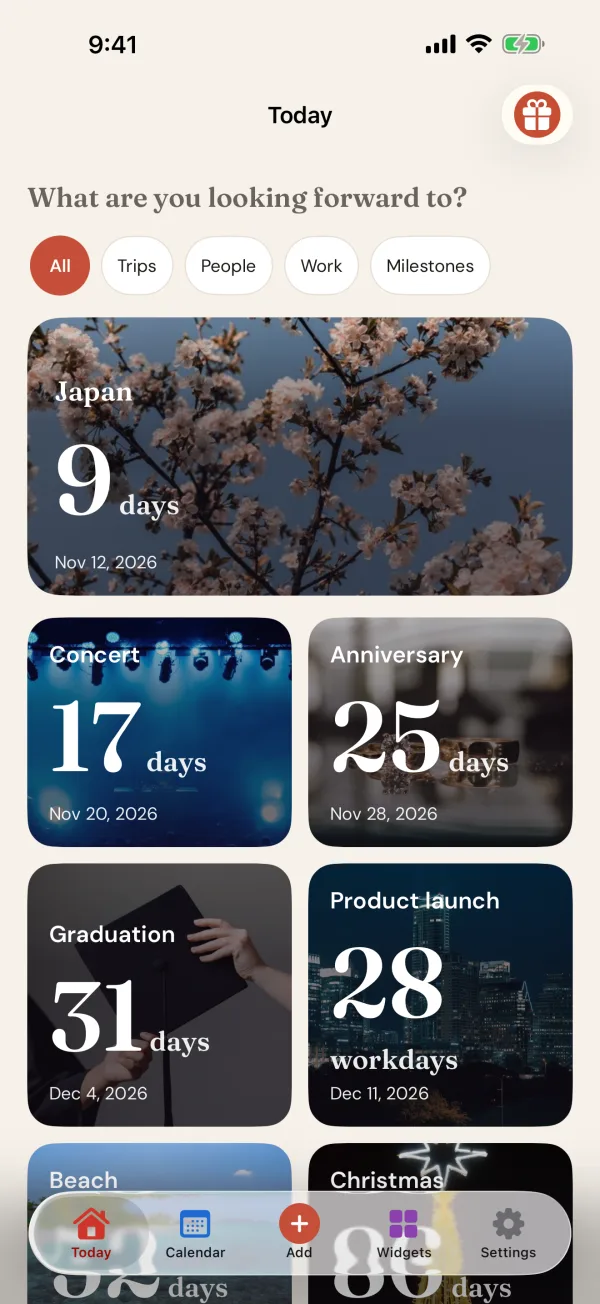
Warm Paper by day, Midnight at night

Until follows your phone’s light and dark mode. The Automatic theme wears Warm Paper during the day and Midnight at night, and every countdown stays just as easy to read.

  • Automatic, Warm Paper, Midnight, Forest and Ocean themes, free
  • Sunset and Blossom with Until Pro
  • Large, clear numbers that work with larger text sizes
Until Today screen in the Midnight theme with countdowns to Japan, a concert, an anniversary, a graduation and a product launch

Widgets

Always in view, without opening the app

Widgets are what people come back to Until for. Put a countdown on your Home Screen, or on your Lock Screen on iPhone, and see how many days are left every time you pick up your phone.

  • The Small Home Screen widget is free for everyone
  • Medium, the Upcoming list and Lock Screen widgets come with Until Pro
  • Show the countdown you pick, or always the next one
  • Your cover photo comes along, and it keeps counting without a network
Until Small and Medium widgets on an iPhone Home Screen

And the small things that make it feel right

  • Celebrate the day

    When the day arrives, Until marks it with a little celebration, and you can share a countdown card with the people you are counting down with.

  • Repeats every year

    Birthdays, anniversaries and holidays move on to the next date by themselves.

  • Archive and Recently Deleted

    Put past countdowns away without losing them. Deleted ones can be restored for 30 days.

  • Export any time

    Save a copy of your countdowns from Settings whenever you like.

  • Built for everyone

    Works with VoiceOver and TalkBack, larger text sizes, and Reduce Motion.

  • Tell us what you think

    Send an idea or report a problem from inside the app, without opening your email.

Who it’s for

Whatever you are counting down to

  • Travellers

    Count down to the trip in the destination’s own time zone, and tick off the passport check and the bookings.

  • Couples

    Wedding days and anniversaries, repeating every year, always in view on your Home Screen.

  • Students

    Exams, deadlines and graduation, with milestones for the revision weeks before.

  • Families

    Birthdays, a new baby, a move to a new home, and the holidays everyone is waiting for.

  • Work

    Launches and deadlines counted in workdays, so the number means what you need it to mean.

  • Holiday lovers

    Halloween, Christmas and New Year, with a countdown that is always on your Home Screen.

Pricing

Free to count down. Pro when you want more.

Everything you need to count down and get ready is free. Until Pro removes the ads and unlocks every theme and widget style, monthly or yearly, with the same benefits either way.

Free

$0

Unlimited countdowns, the Small widget and every cover, with ads.

Until Pro monthly

$1.99 / month

No ads, every theme and every widget style.

1-week free trial

Until Pro yearly

$14.99 / year

Everything in Pro, starting with a 1-week free trial for new subscribers.

Until Free compared with Until Pro
FeatureFreeUntil Pro
Unlimited countdownsIncludedIncluded
Days, workdays, exact time and progressIncludedIncluded
200 photo covers and your own photosIncludedIncluded
Milestones, checklist and remindersIncludedIncluded
Repeats every year, time zones, Calendar importIncludedIncluded
Small Home Screen widgetIncludedIncluded
Medium widget and the Upcoming listNot includedIncluded
Lock Screen widgets (iPhone)Not includedIncluded
Automatic, Warm Paper, Midnight, Forest and Ocean themesIncludedIncluded
Sunset and Blossom themesNot includedIncluded
AdsYesNo ads

Prices are in US dollars and may vary by country and currency; your store shows your local price before you subscribe. Auto-renews until you cancel in your App Store or Google Play subscriptions. If Pro ends, your countdowns are never touched.

Privacy

Your countdowns stay yours

What you are looking forward to is personal. Until has no account and keeps your countdowns on your device; nothing you write in the app reaches us.

Read the privacy policy
  • No account

    No sign-up and no email address. Open the app and start counting down.

  • On your device

    Countdowns, milestones and checklists are stored on your phone and are not synced anywhere.

  • Your calendar, untouched

    Until reads your calendar only when you import, and never adds to or changes it.

  • Ads without your countdowns

    Ads never receive your countdowns. On iPhone you choose whether ads may be personalised.

FAQ

Questions people ask about Until

What is Until?

Until is a calm countdown app for the moments you are looking forward to: a trip, a wedding, an exam, a birthday, a move or a launch. It shows exactly how many days are left, keeps the countdown on your Home Screen with widgets, and helps you get ready with milestones, a short checklist and reminders.

Is Until free?

Yes. Countdowns, every counting mode, reminders, milestones, the checklist, all 200 photo covers and the Small Home Screen widget are free, with ads. Until Pro removes the ads and unlocks every theme and every widget style for $1.99 a month or $14.99 a year; the yearly plan starts with a 1-week free trial for new subscribers.

Do I need an account?

No. There is no account and no sign-up. Your countdowns are stored on your device and are not synced anywhere. You can export a copy of them from Settings at any time, and a countdown you delete can be restored for 30 days.

How does Until count the days?

Every countdown is calculated in its own time zone, by calendar day, so the number is right the moment you look at it, including across daylight saving changes. You can count in days, in workdays, as exact time, or as a percentage of the way there, and keep counting up after the day has passed.

Which widgets does Until have?

The Small Home Screen widget is free for everyone. Until Pro adds the Medium widget, the Upcoming list and, on iPhone, the Lock Screen widgets. Each widget can show the countdown you pick or always the next one, and keeps working without a network connection.

Can I count only working days?

Yes. Choose the Workdays counting mode for a countdown, and pick which days of the week count as working days in Settings. It is useful for project deadlines, leave and the last day before a holiday.

Can a countdown repeat every year?

Yes. Turn on “Repeats every year” for birthdays, anniversaries and holidays, and Until moves on to the next date by itself once the day has passed.

Can I import events from my calendar?

Yes. Import from Calendar in Settings turns calendar events into countdowns. Until only reads your calendar when you ask it to, and never adds to or changes it.

Is Until on iPhone and Android?

Yes. Until is on the App Store for iPhone (iOS 18 or later) and on Google Play for Android (8.0 or later). Lock Screen widgets are an iPhone feature; everything else is on both.

How do I cancel Until Pro?

Until Pro is an auto-renewing subscription you manage with your store: on iPhone in Settings, your name, Subscriptions; on Android in Google Play, Payments and subscriptions. Cancel at least 24 hours before it renews. You keep Pro until the period you paid for ends, and your countdowns are never touched.

Which languages does Until support?

Until is available in 52 languages, including Arabic, Hebrew, Persian and Urdu, which read right to left. It follows your phone's language.
Using Until already? See Until support for help with widgets, reminders and Until Pro.

Something good is coming. Count down to it.

Add your first countdown in under a minute. It is free, there is no account, and it will be waiting on your Home Screen.